因为google被屏蔽,所以很多运用了 fonts.googleapis的网站都打开很慢,会直到加载fonts.googleapis超时才能打开网页。网络上网友分享了很多方法,有在 function.php后面加代码的,有用移除google字体插件的方法。但是,很多国外的主题在很多地方都运用了google字体,就会显得不太有 效果。本方法主要通过插件,将谷歌字体等链接替换成360国内CDN链接,解决google在中国访问时常抽风影响到了google api和一些公共服务.
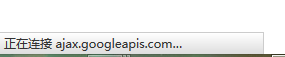
1、近期因为google服务被屏蔽,导致很多wordpress用户网站打开极度缓慢,左下角一直提示加载
fonts.googleapis或者其他的googleapis直到加载失败才能打开网页。导致打开一个网页至少要十多秒钟,严重影响用户体验完美解决wordpress链接google字体慢的问题
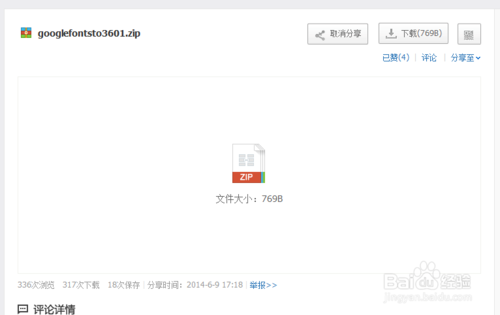
2、通过百度网盘(http://pan.baidu.com/s/1gd46sr5)下载googlefonts to 360插件
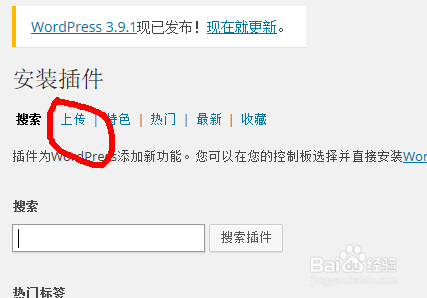
3、登录wordpress后台,点击左侧 插件,选择安装插件。

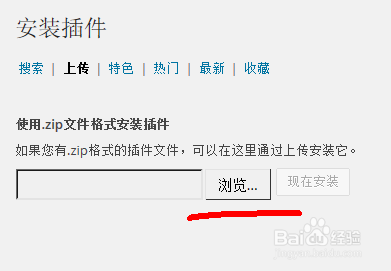
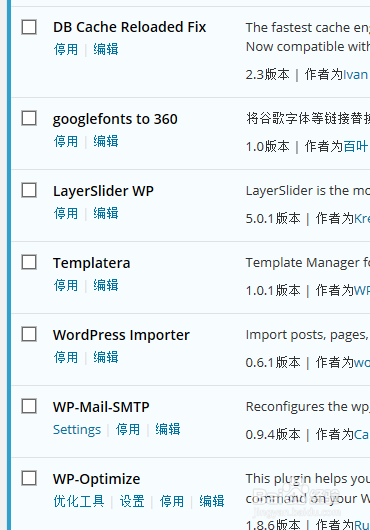
4、点击上传,再点击浏览选择下载好的插件包,再点击现在安装
5、安装好插件后,点击启用插件,刷新缓存。

6、经过以上步骤,我们基本解决了因为google字体的原因导致的wordpress网站打开缓慢的问题。希望对您有帮助。
7、通过本方法,所有的googleapis都被替换为了useso,并且因为并没有删除字体,所以保持了博客原有的美观。原来google字体库被360搬到国内来了href=’//fonts.useso.com/css?family=Open+Sans
%3A300italic%2C400italic%2C600italic%2C300%2C400%2C600&subset=latin%2Clatin-ext&ver=3.8.1′ type=’text/css’ media=’all’ />
8、还有另外的方法 比如:在主题中的functions.php文件末尾加上一下代码之一即可// Remove Open Sans that WP adds from frontendif (!function_exists(‘remove_wp_open_sans’)) : function remove_wp_open_sans() { wp_deregister_style( ‘open-sans’ ); wp_register_style( ‘open-sans’, false ); } add_action(‘wp_enqueue_scripts’, ‘remove_wp_open_sans’); // Uncomment below to remove from admin // add_action(‘admin_enqueue_scripts’, ‘remove_wp_open_sans’);endif;
原链接:http://jingyan.baidu.com/article/b24f6c82c39fd486bfe5daa8.html
